Timeframe: 2017.11 - 2017.12 Role: Lead Designer Platform: Smartphone/Desktop
Problem
Redesign the existing note features in HCM Cloud. Ensure a HR specialist, manager can add feedback. Should we call this feature Notes or Feedback?
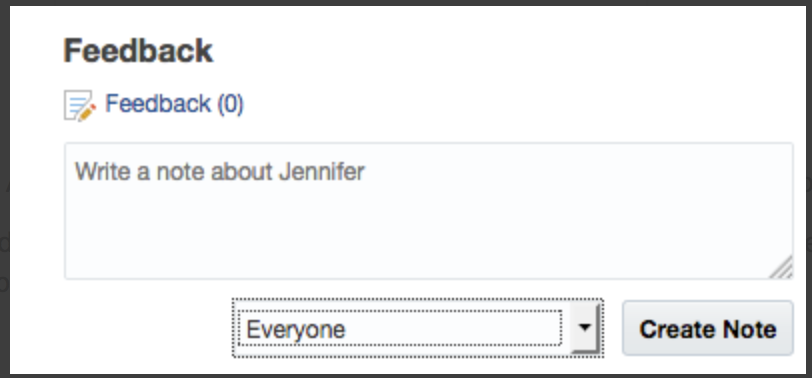
Current Note Design in the application
This feature can be configured by the admin to display in 3 modes:
1) A link. EG - Feedback (2), Notes (1)
2) A link with quick add note action
3) Embedded in a page.
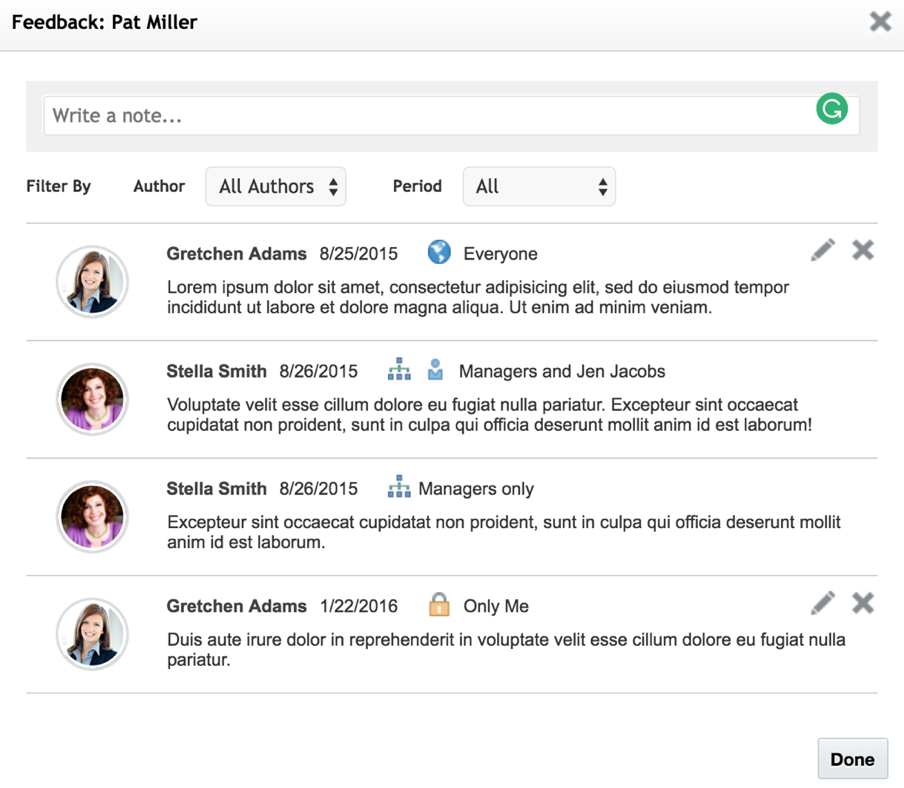
Current Note Design
HR and Recipients to hide public feedback
Solution
Kick off Meeting: I have mainly focused on designing applications for Sales Cloud. I was assigned to this project to help HCM team meet their goals in a very short period. I started the project by reviewing the existing design. Met with the HCM team who were familiar with the product to understand how the note feature worked in the current application.
Ideation 1
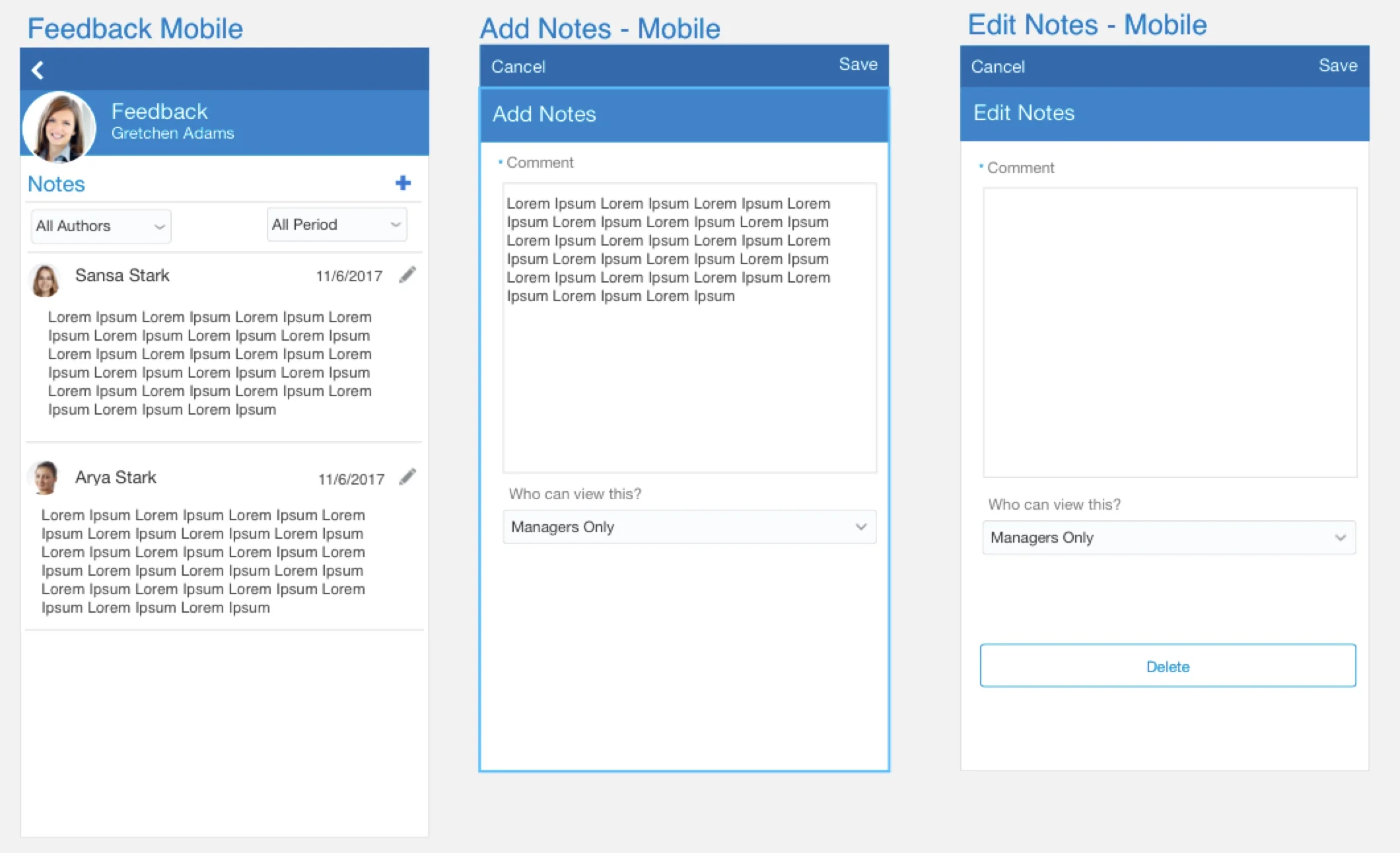
Smart Phone
I came up with a simple translation of the design. The user can see a list of notes, Can add a note by clicking "+" icon and edit a note by clicking the pencil icon.
Design Review
I reviewed this design with a group of interaction designers and product management team. The feedback I got was very positive that this was a very clean design, but I soon learnt that I was missing "ALL" the launch points. This design will be launched from a Information panel, Person Profile, Quick Actions? How would the design look if a manager logged into the system to provide feedback on an employee? How can a feedback be hidden from public view?
Ideation 2
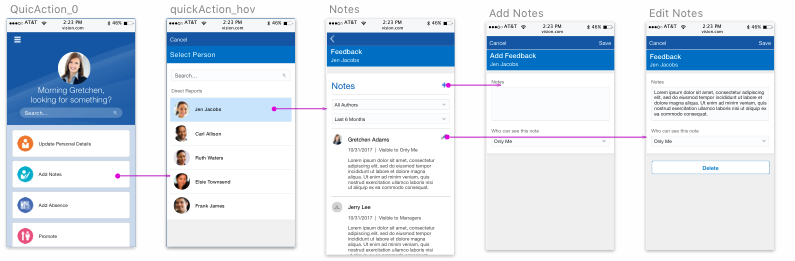
Launch Point: Quick Action
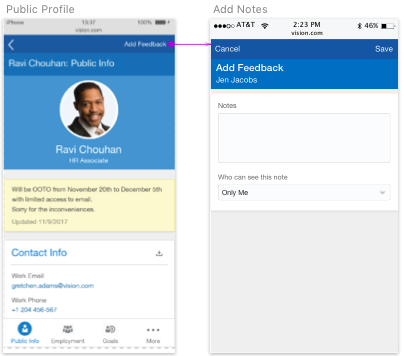
Launch Point: Public Profile
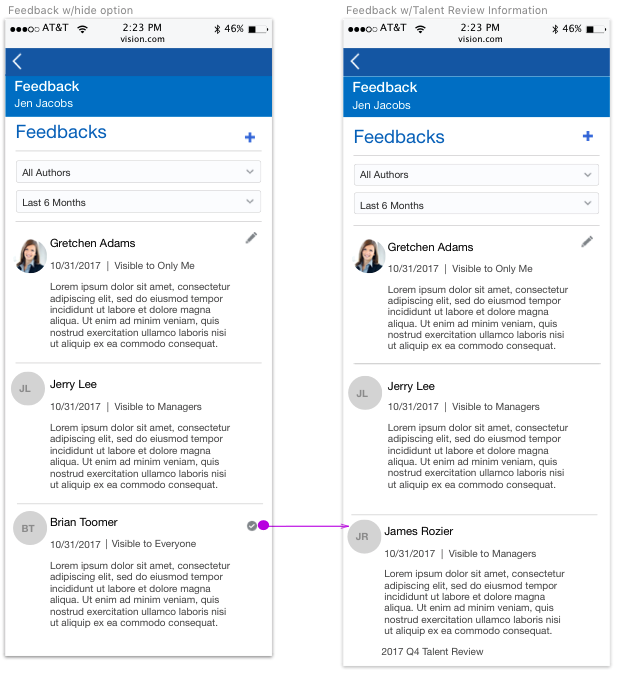
Recipients and HR can hide public feedback authored by some one else about the recipient by clicking on the checkbox. When the checkbox is enabled the feedback is only visible to managers. If its unchecked its is visible to the public.
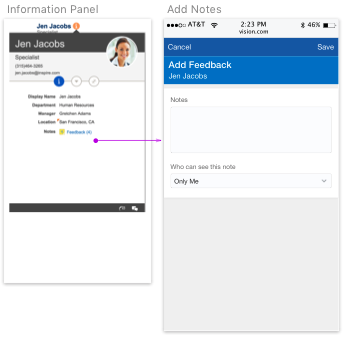
Feedback can be added from the information Panel.
Conclusion
I presented this design to executives and other stake holders which was approved.
Conducting Usability testing was the next step.
While this project was a huge learning experience as it was a new application pillar for me. I specially loved iterating on designs. The tight feedback loop helped take ambiguity out of the designs and it felt good to produce designs with the confidence that users would enjoy and understand it.