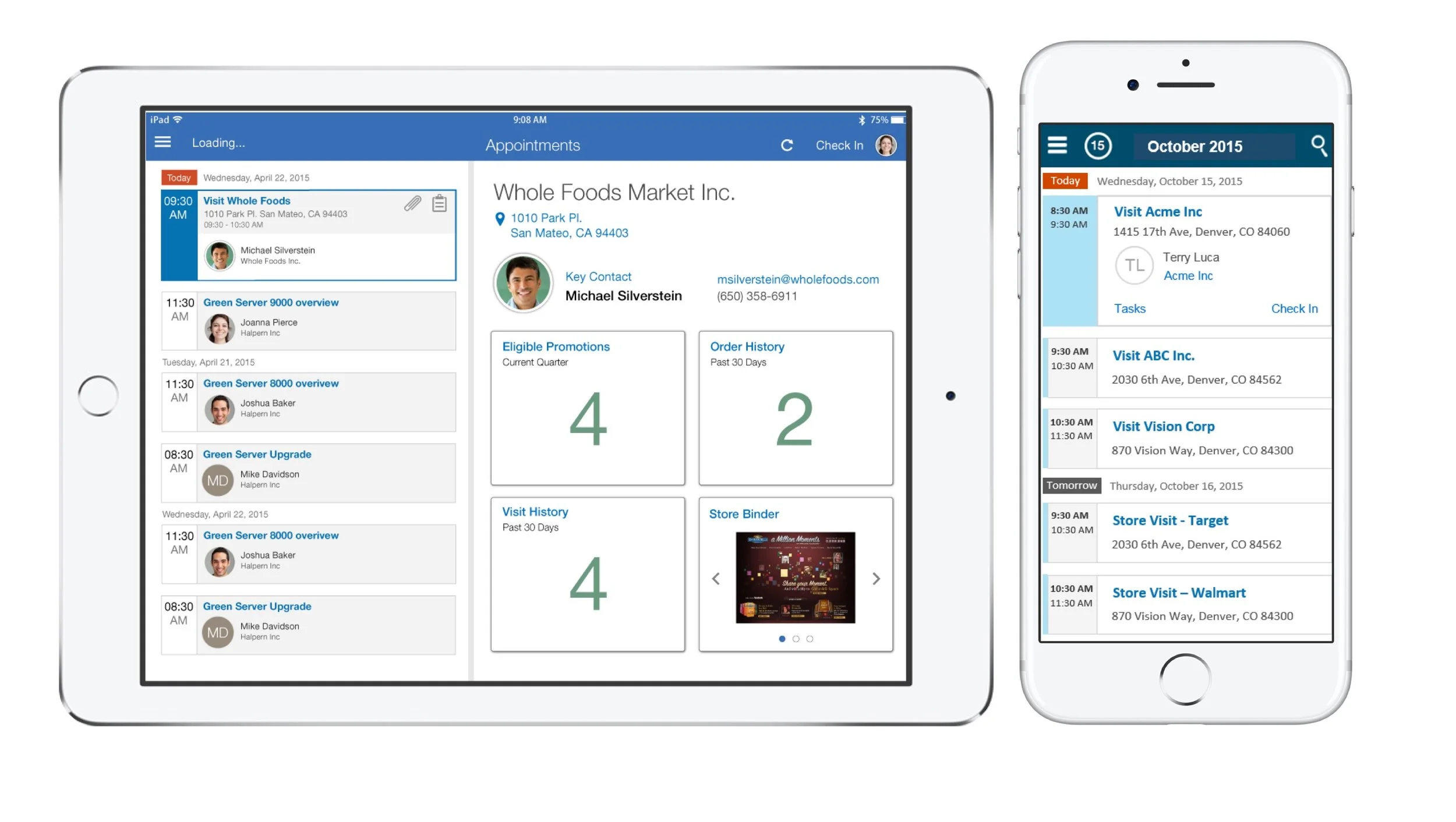
Timeframe: 2017.11 - 2018.2 Role: Lead Designer Platform: SmartPhone/Tablet
Problem
Design an extensible application that allows delivery representatives to efficiently perform their day to day tasks while being on the road throughout their delivery/distribution schedule. The average time spent by the delivery representative during a routine delivery stop is on an average - 4.5 minutes.
During this short amount of time they must perform a variety of tasks including but not limited to checking order details, deliver replenishments for existing or new products and take/process product returns. These tasks need to be completed within the average time indicated above in order to avoid costly delivery overruns resulting into operational, financial and customer satisfaction issues.
Solution
Project Execution: Typically for most projects the UX design process starts with a kick-off meeting where I represent the UX team as a lead interaction designer for projects assigned to me. As part of a typical project I work closely with key stakeholders from various cross product teams such as product management, development as well as was the case for this strategic customer – Senior Management.
This meeting allows all stakeholders to be aligned around the goals of the project, timeline (including key milestones), currently defined scope, application requirements and expectations. I have refined this process to incorporate many of the well known design principles and guidelines around designing cutting edge user experience for enterprise application.
User Persona
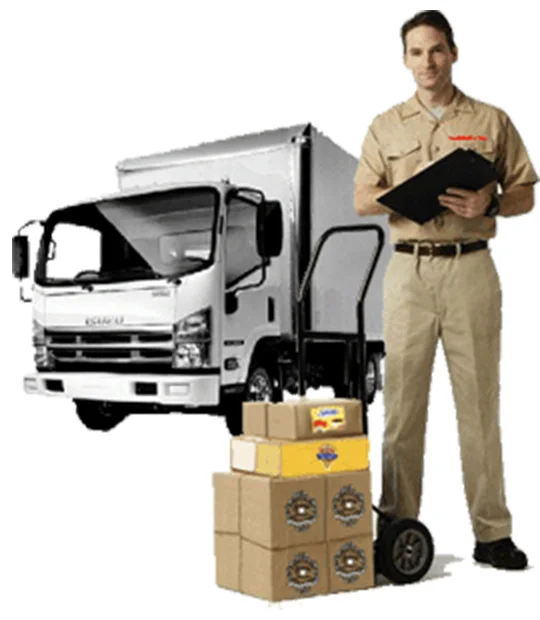
I work 6 days a week - 11 to 14 hours starting around 6.30 Am. I am responsible for the inventory of my truck so I need to make sure that I acknowledge what has been placed under my care every morning. On an average I visit 69 customers in a day. I spend around 6 hours moving from store to store which means I spend on average less than 4.5 minutes with each client.· In each stop I need to do the following:
Understand what I need to deliver
Take proper inventory from my truck to the store
Confirm with the customer the product, quantities and amount that is due
I also need to verify and collect any pending credits
I make sure I properly cash out everything or I have to pay for my mistakes.
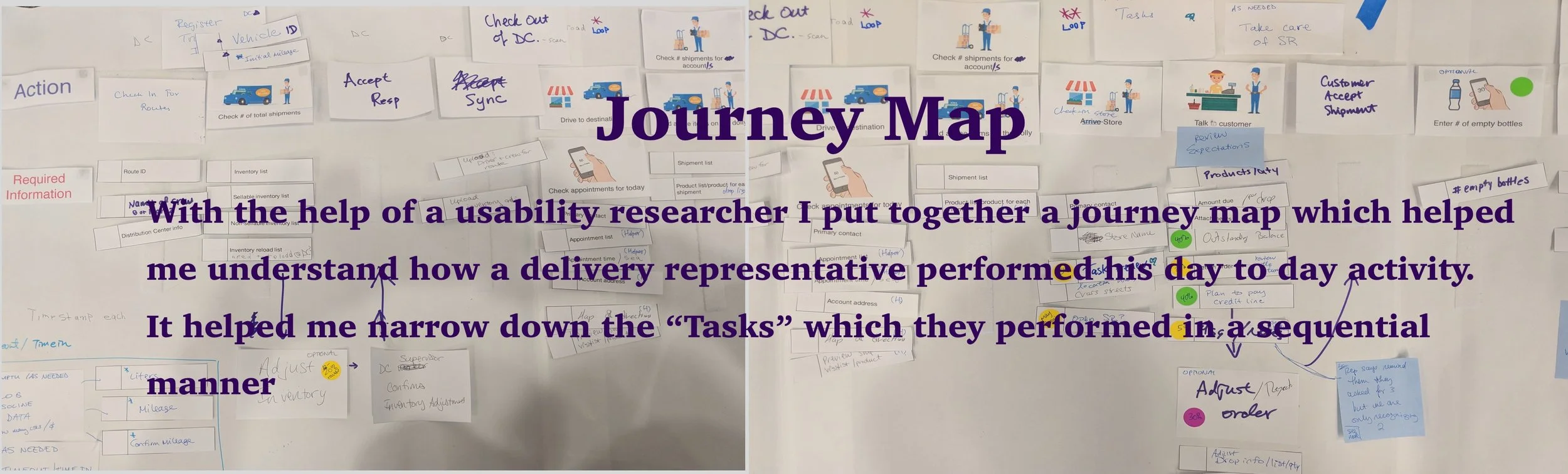
“Which task does the user perform first?”
Design Ideas
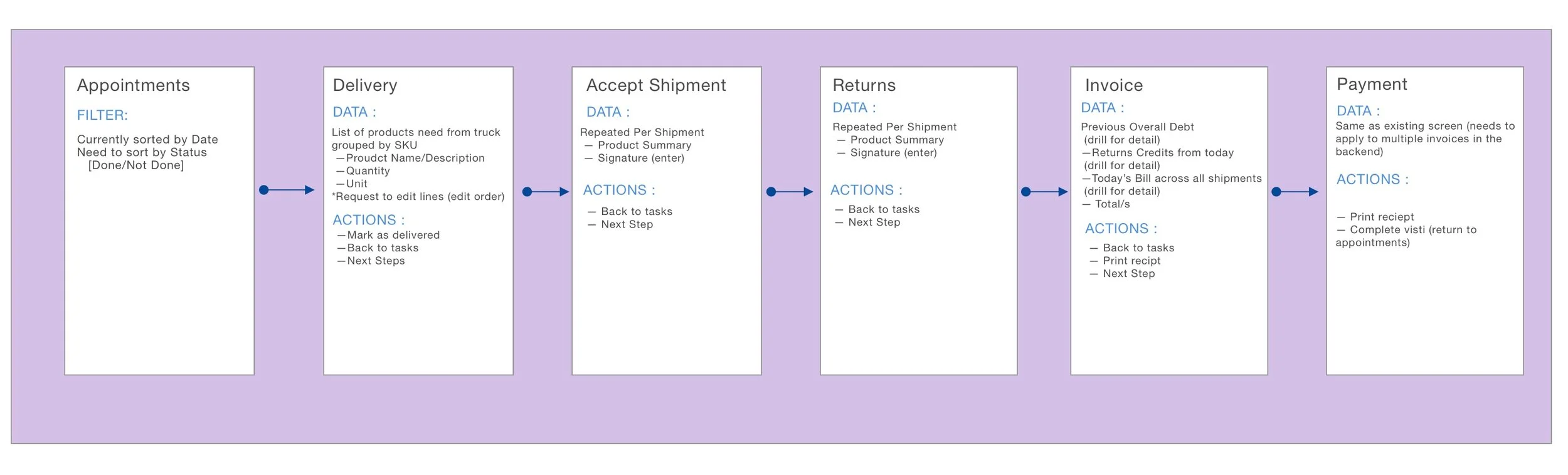
A guided task flow with data and actions delivery representative will need to perform the task.
Low fidelity design showing List of appointments
Low fidelity design showing Order List
Iteration 2
The above set of images showcases different design and visual interaction for the appointments list page. Each of them are showing name of the appointment, address and name of the primary contact. User can search for an appointment by manually typing in or through voice control in the search box. The switcher allows the user to quickly filter the appointments. The appointments can be viewed in a List (default) view or in Map view. User can also click on the location icon to open the appointment in the Map view.
Each appointment card can be expanded by clicking on it. When a card is expanded the delivery representative will see a "Check In" button which allows him to check into a given store. Once the representative has checked in, they can see the order list for that appointment.
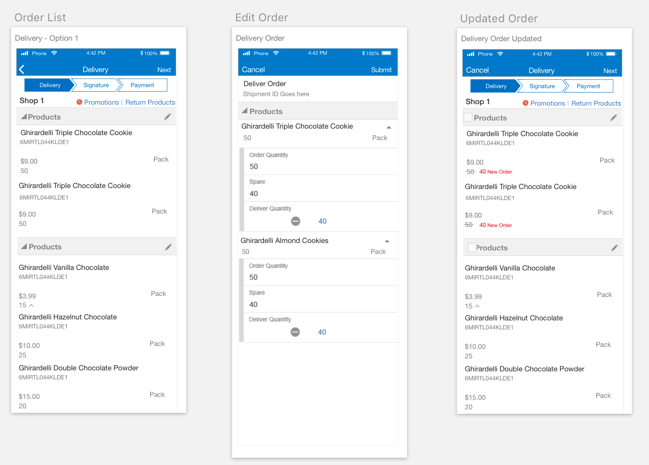
Order List - For the order list page I thought a guided process would be much easier for the representative as they can easily view the next step/activity they need to perform during their visit. The "Delivery" step shows the list of products, quantity and price that need to be delivered. The pencil icon allows the representative to edit the list if needed. Once the step is completed the user can get a signature or directly jump to the payment by clicking the "Payments" step.
Design Review
After going through a couple of rounds of design ideation and iterations I reviewed my design with engineering and product management teams.
During this process there were a few technical challenges that were identified that are listed below:
- In the appointments list page showing appointments in a specific timeblock (For example, 7am – 10am) was not possible.
- The colored timeline UX pattern needed further development and hence it had to be removed to curtail scope.
- The guided process design in the order's list page was also technically not feasible in the development timeframe.
Iteration 3
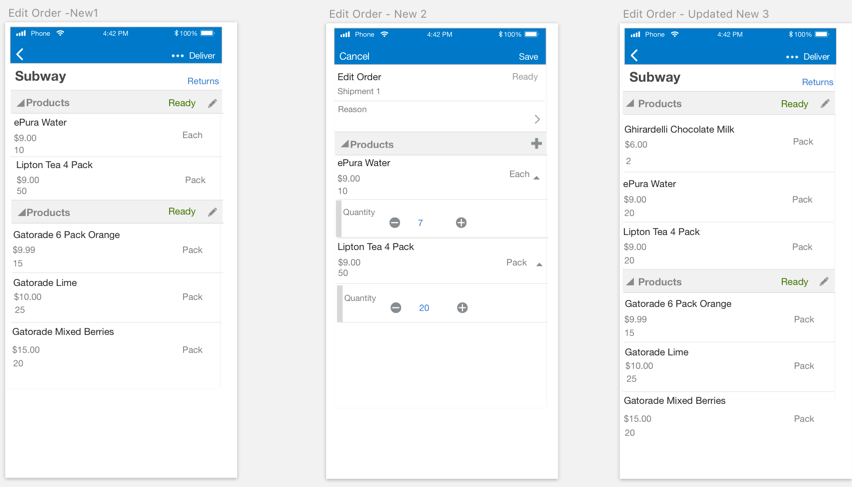
In the next round of design I removed the guided process and made orders a flat list. Other interactions of editing a shipment remained the same.
Conclusion
This was both an enriching and rewarding project for me. I acquired a great deal of domain knowledge on the retail/distribution industry business processes. The job of the delivery representative and how quickly the tasks have to be performed was an interesting challenge to me. This project allowed me to put into action some of the key UX design principles around empathy while going through a detailed observation exercise of the user in their environment.
This significantly helped in the development of an accurate user persona through a very clear understanding of his day to day activity and how quickly tasks needed to be accomplished. After many rounds of design iterations and resolution of hurdles encountered due to technical limitations and visual challenges, I was able to deliver a user experience that met its key goal of helping the user be productive and accomplish their job in a timely and efficient manner.
“Let’s meet or talk to view prototype”